

DreamGen
DreamGen is an app and an API for AI-powered role-playing and story-writing. They have a free tier, as well as a paid subscription that allows unlimited monthly access to their high-quality in-house text generation models made specifically for the purpose of steerable AI role-playing and story-writing. Create an account to get started: https://dreamgen.com/.
The (free) credits reset at the start of each calendar month. See pricing to see the credit cost for each model and usage to see your remaining credits.
Connecting to DreamGen
Get API Key
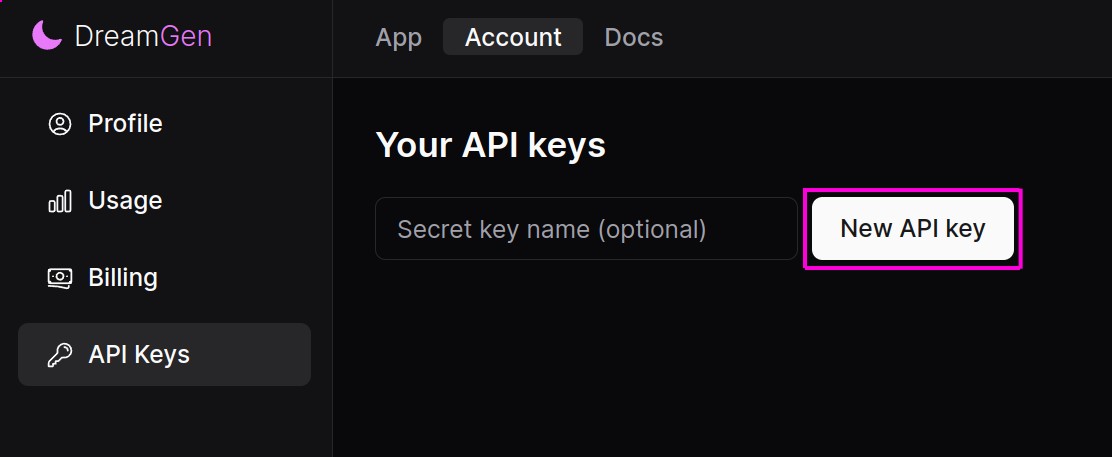
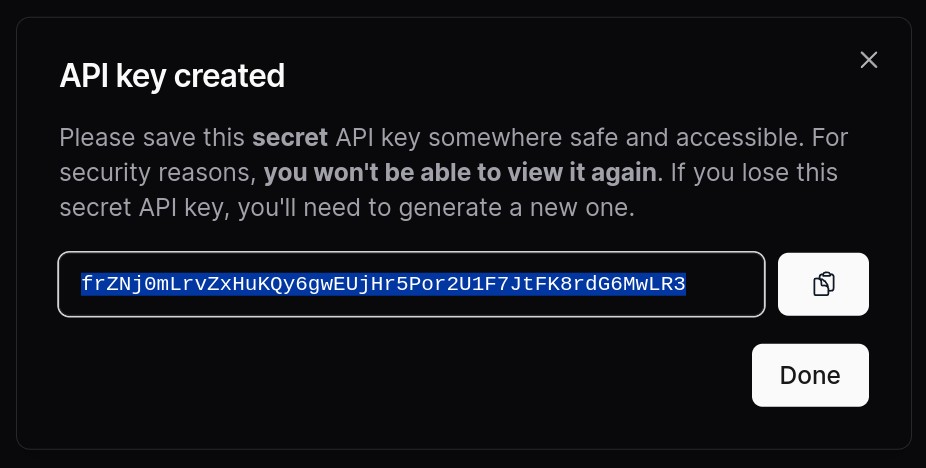
Go to the DreamGen API keys page and click the "New API Key" button. Make sure the API Key is copied into your clipboard.
Connect
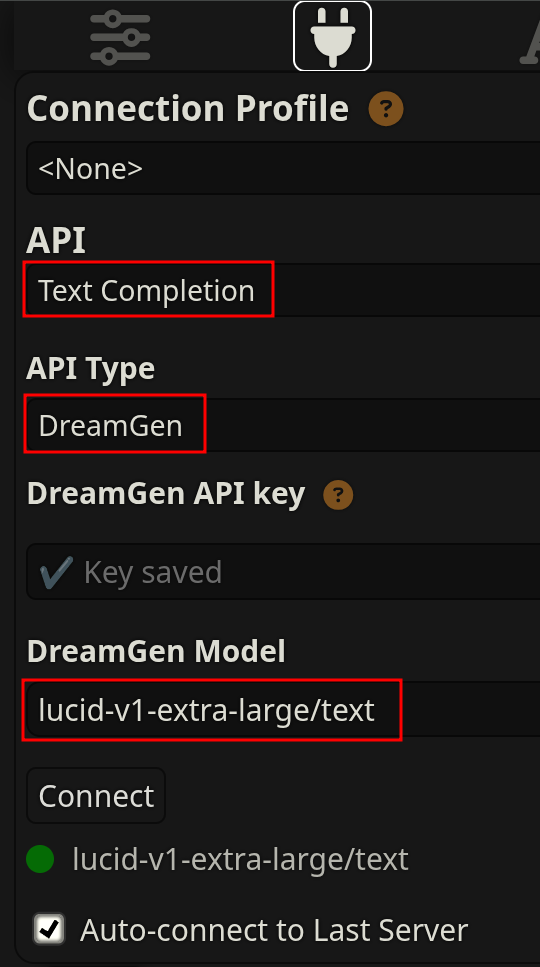
- Go to the SillyTavern connection settings.
- Select API: Text Completion
- Select API Type: DreamGen
- Enter the API key
- (optional) Pick a model
Models
DreamGen API offers several models of different sizes.
- Lucid Max (in API called
lucid-v1-maxorlucid-v1-extra-large) - Lucid Base (in API called
lucid-v1-baseorlucid-v1-medium) -- corresponds to the weight-available Lucid V1 Nemo.
Lucid Base uses much fewer credits and is faster, while Lucid Max is more creative and is able to handle more complex instructions and narratives.
Settings
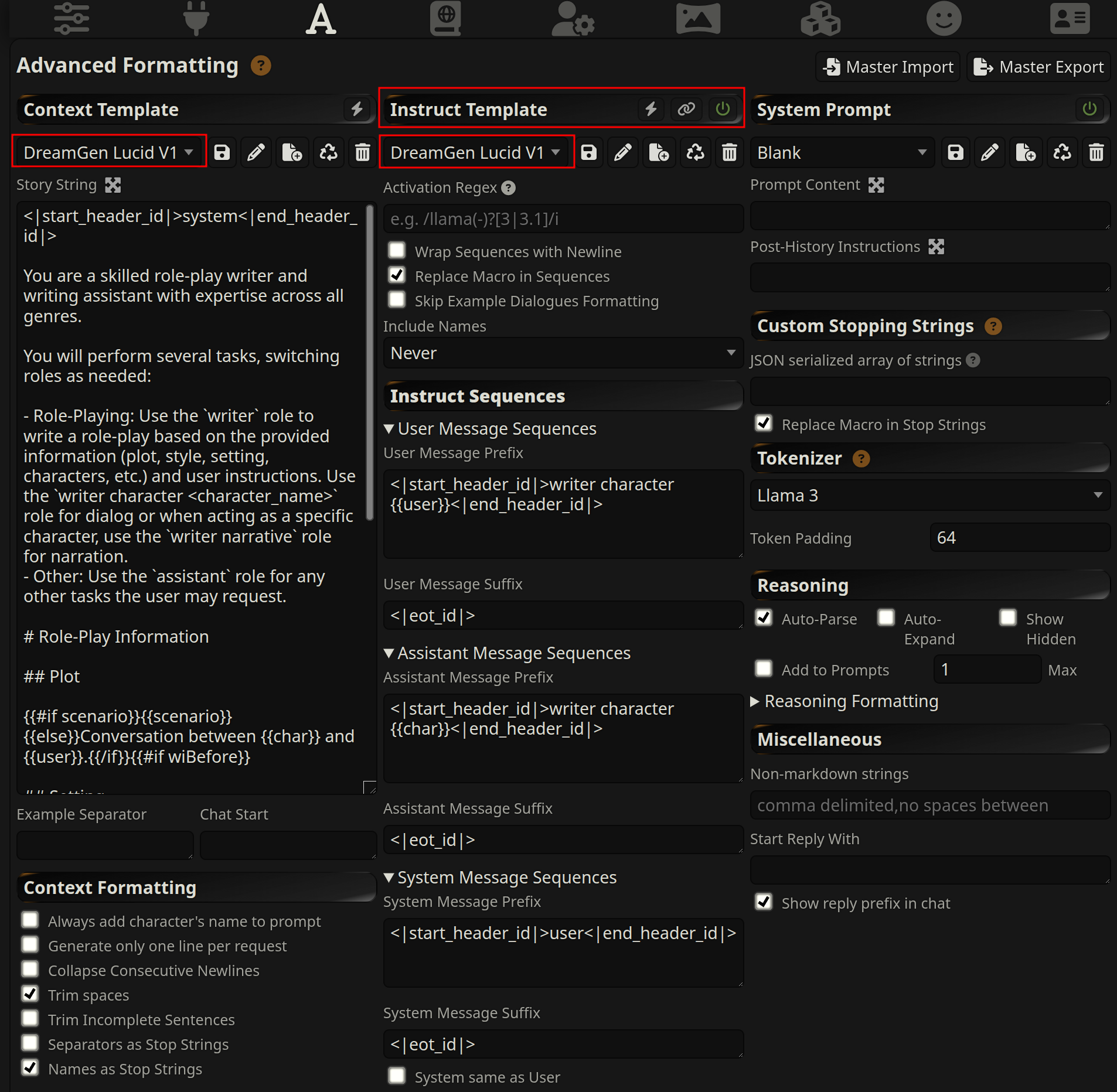
The Lucid V1 DreamGen models use an extension of the Llama 3 chat template optimized for role-play and writing. They work best with a specific system prompt.
We strongly recommend to start with one of these master presets:
- Make sure that you have instruct mode enabled and select all checkboxes when importing.
- DreamGen Lucid V1 Role-Play preset
- DreamGen Lucid V1 Story preset
These presets come with built-in support for /sys to send instructions to the model. You can use those to steer the plot or control character's actions.
Other resources:
- Detailed DreamGen + SillyTavern guide
- Detailed Lucid V1 prompt format documentation.
- DreamGen + SillyTavern role-play demo
- DreamGen + SillyTavern story-writing demo
- Tips for making your own scenarios
FAQ
How can I make the responses longer or shorter?
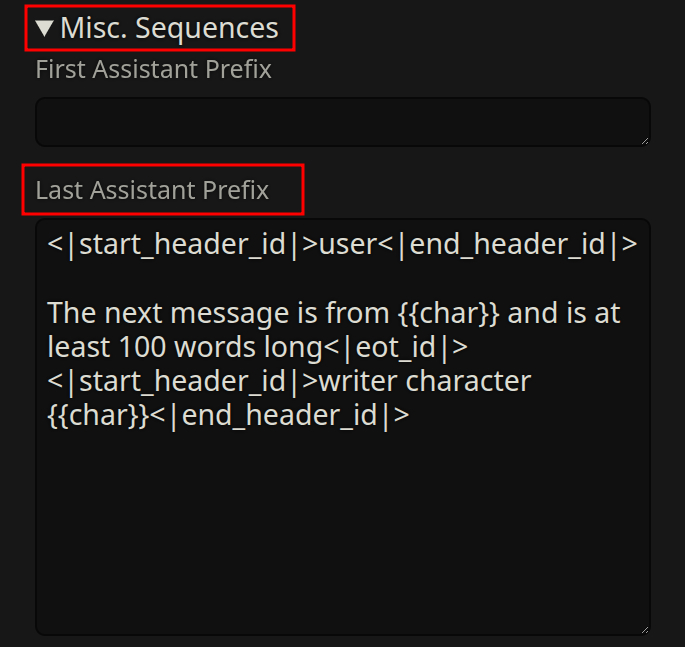
You can set the Last Assistant Prefix in your formatting presets.
For long messages:
<|start_header_id|>user<|end_header_id|>

The next message is from  and is at least 100 words long<|eot_id|><|start_header_id|>writer character <|end_header_id|>
For short messages:
<|start_header_id|>user<|end_header_id|>

The next message is from  and is at most 50 words long<|eot_id|><|start_header_id|>writer character <|end_header_id|>
Make sure to preserve all newlines, including the two at the end.
You can also include writing style description in your card or system prompt, e.g.:
## Style

<your description>
See the "Style" documentation to learn more and see some examples.
How can I steer the role-play / story?
Use the /sys option to send instructions to the model. Some examples:
The innkeeper offers Daria and the others a pint of ale.
The next message is from Draco and should be at least 200 words, focusing on his inner conflict about the decision.